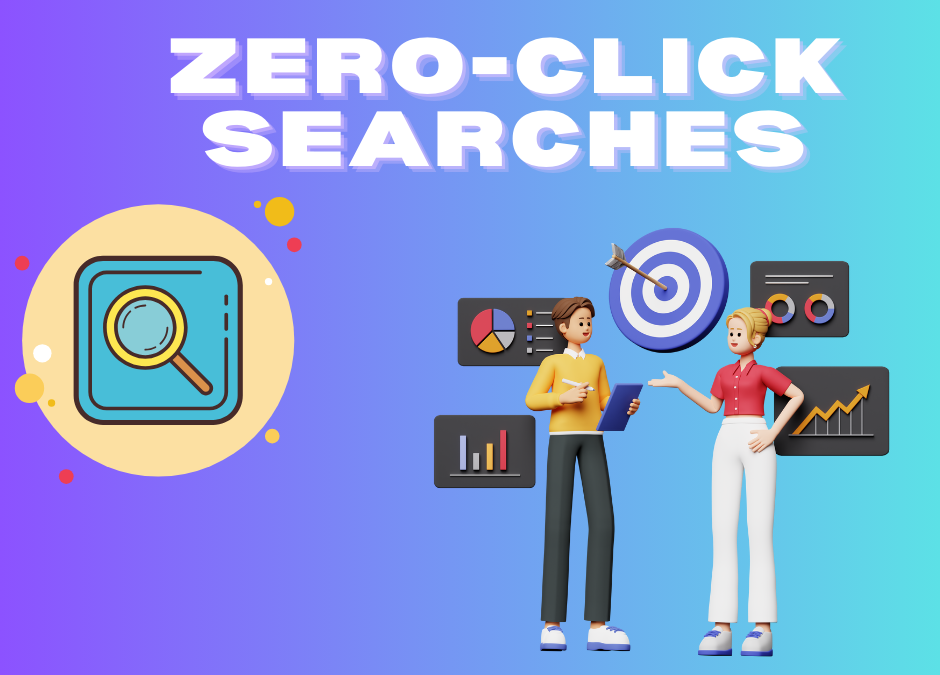
Zero-Click Searches: How to Get Found Without Getting Clicked
📉 Zero-Click Searches & How to Strategize for Them in 2025
What Are Zero-Click Searches?
Zero-click searches are Google search queries that are answered directly on the search results page — meaning the user doesn’t need to click through to any website to get the information they need.
Examples include:
Direct answers from Google (weather, time, calculator, etc.)
Featured snippets (paragraphs, tables, lists)
Knowledge panels
People Also Ask boxes
Maps and local listings
💡 According to various studies, over 50% of all Google searches end without a click. This makes zero-click searches a major concern for marketers focused on organic traffic.
Why Are Zero-Click Searches Increasing?
Google wants to keep users on Google.
Mobile-first behavior — quick answers = better UX.
Voice search often triggers instant or spoken responses.
AI-powered SERPs (like SGE) summarize answers before you scroll.
Why Should Marketers Care?
If your business relies on organic traffic from search engines, zero-click searches can:
Reduce your click-through rates (CTR)
Lower your website traffic
Impact your conversion funnel
But there’s a silver lining…
👉 With the right strategy, you can benefit from zero-click features and still grow visibility, trust, and leads.
How to Strategize for Zero-Click Searches
- 🎯 Target Featured Snippets
Format your content to answer common questions clearly and concisely.
Use headers, bullet points, and numbered lists.
Include FAQs at the end of blog posts.
Use schema markup to help Google identify snippet-worthy content.
📌 Pro Tip: Aim to answer the search query within the first 100 words of your page or section.
- 🗣 Optimize for Voice Search
Focus on conversational long-tail keywords.
Answer “who,” “what,” “where,” “when,” and “how” questions.
Use natural language and direct answers (ideal for smart devices).
- 📌 Leverage Google Business Profile for Local Zero-Clicks
If you’re a local business, most searches are zero-click by design (e.g., map directions, call button, hours, reviews).
Keep your Google Business Profile updated.
Add images, posts, offers, FAQs, and replies to reviews.
Use local schema markup on your website.
- 🧠 Build Brand Awareness on the SERP
Even if a user doesn’t click, being visible builds trust and recognition.
Dominate the first page with multiple content formats: videos, blog posts, guest posts, reviews, and social profiles.
Use rich snippets to increase visual appeal (ratings, prices, etc.)
- ✍ Create High-Value Content That Encourages Clicks
Google might show a snippet, but:
Don’t give everything away in the answer.
Use teaser-style content with calls to action: “Read more,” “Download guide,” etc.
Offer unique insights, tools, or downloads that can’t be fully shown in snippets.
- 🧩 Use Structured Data (Schema Markup)
Add schema types like:
FAQ
How-To
Local Business
Product
Review
This enhances your chance of being featured in rich results or zero-click SERP features.
- 📊 Track Zero-Click Impact
Use tools like:
Google Search Console (look at impressions vs. clicks)
SEMrush / Ahrefs (track featured snippets)
SERP tracking tools like Moz or Rank Ranger
Keep an eye on:
CTR drops
Featured snippet ownership
Keyword cannibalization by SERP features
Conclusion: Embrace the Shift, Don’t Fight It
Zero-click searches are here to stay. Instead of resisting them, adapt your content strategy to increase visibility, trust, and engagement without relying solely on clicks.
By optimizing for snippets, voice, local search, and structured data — you can thrive even in a zero-click world.
Conclution
Abhinav, Freelance Digital Marketer, offers specialized services to help businesses thrive in the era of Zero-Click Searches. With search engines increasingly providing answers directly on results pages, it’s more important than ever to optimize your content for maximum visibility without relying solely on clicks. Whether you’re aiming to improve brand presence, boost featured snippet rankings, or enhance local SEO, I provide tailored strategies to ensure your business stays ahead. Let’s work together to make your brand stand out — even when users don’t click.
Email & CRM Marketing
🔹Overview
Email & CRM Marketing refers to the strategic use of email campaigns and customer relationship management (CRM) systems to build, maintain, and grow relationships with customers. It combines the personalization and targeting power of email with the data and automation capabilities of CRM software to drive customer engagement, loyalty, and revenue.
Key Components
1. Email Marketing
Email marketing involves sending targeted messages to a group of recipients with the intent to:
- Promote products or services
- Build brand awareness
- Nurture leads
- Retain existing customers
- Drive conversions and revenue
Types of Email Campaigns:
- Promotional emails: Sales, special offers, product launches
- Transactional emails: Order confirmations, receipts, shipping updates
- Lifecycle emails: Welcome series, onboarding, re-engagement
- Newsletter emails: Regular updates, blog content, company news
- Behavioral/triggered emails: Based on user behavior (e.g., cart abandonment, site visits)
2. CRM Marketing
CRM (Customer Relationship Management) marketing is the process of using customer data collected in a CRM platform to:
- Understand customer behavior
- Segment audiences
- Personalize communications
- Automate customer journeys
- Track interactions and performance
Popular CRM platforms include Salesforce, HubSpot, Zoho CRM, Microsoft Dynamics, and Klaviyo.
Core Features & Functions
✅ Segmentation & Targeting
- Divide customers based on demographics, behavior, purchase history, engagement level, etc.
- Target specific groups with tailored messages for higher relevance and effectiveness.
✅ Personalization
- Use customer names, preferences, and past interactions to personalize subject lines, content, and product recommendations.
- Improves open rates, CTRs, and customer satisfaction.
✅ Automation
- Create workflows that send emails automatically based on triggers (e.g., sign-up, purchase, inactivity).
- Reduces manual workload while maintaining consistent engagement.
✅ Analytics & Reporting
- Track open rates, click-through rates, conversions, bounce rates, and unsubscribe rates.
- Use data to optimize campaigns, A/B test subject lines/content, and measure ROI.
✅ Customer Lifecycle Management
- Map out customer journey stages (awareness, consideration, purchase, loyalty).
- Deliver the right message at the right time to guide customers along this path.
Benefits
- Higher ROI: Email marketing consistently delivers one of the highest returns among digital channels.
- Customer Retention: Keeps your brand top of mind and nurtures long-term loyalty.
- Increased Efficiency: Automation reduces time and effort while improving consistency.
- Better Insights: CRM tools offer deep insights into customer behavior and campaign performance.
- Personalized Experiences: Drives engagement through relevant content tailored to each user.
Best Practices
- Build and maintain a clean, opt-in email list.
- Always provide value—don’t just sell.
- Optimize for mobile devices.
- Test and analyze regularly (A/B testing).
- Ensure compliance with data privacy laws (e.g., GDPR, CAN-SPAM).
- Use clear CTAs (Calls to Action).
- Keep frequency consistent but not overwhelming.
Real-World Use Cases
- E-commerce: Abandoned cart recovery, product recommendations, post-purchase follow-ups
- SaaS: Onboarding emails, feature updates, usage nudges
- B2B: Lead nurturing, event invitations, thought leadership content
- Hospitality: Booking confirmations, loyalty rewards, seasonal offers
Conclution
Abhinav RS, as a Freelance Digital Marketer i Provide fundamentals of Email Marketing and CRM (Customer Relationship Management) Marketing. This blog covers how to craft effective email campaigns, segment audiences, automate communication flows, and analyze campaign performance. Freshers also Know how to use CRM tools to manage customer data, track engagement, and build personalized marketing strategies that drive retention and loyalty.
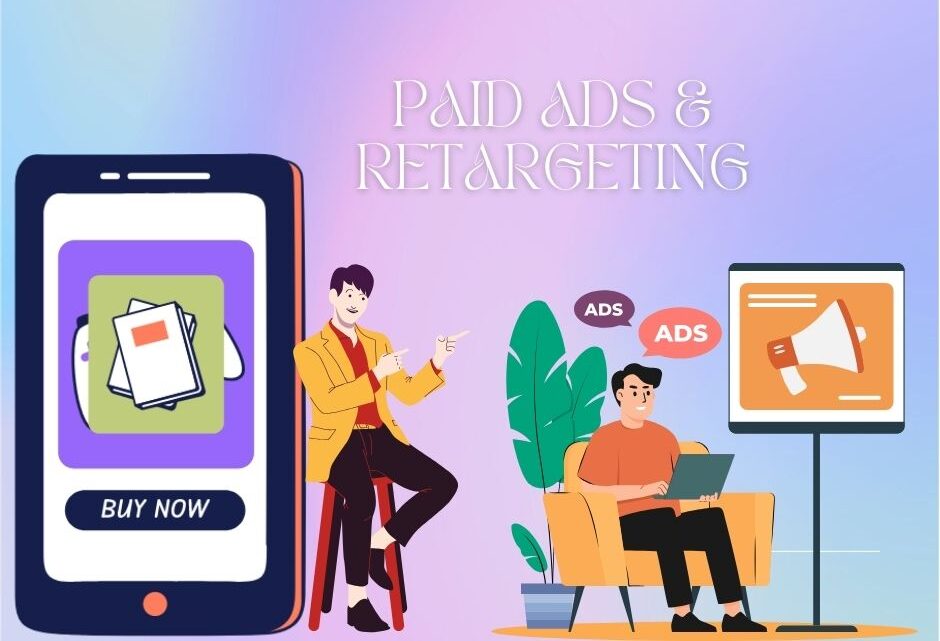
Paid Ads & Retargeting
🔹 Overview
Paid Ads & Retargeting refer to online advertising strategies that involve paying for placements across digital platforms and then re-engaging users who have previously interacted with your brand. The goal is to drive awareness, conversions, and retention by placing your message in front of the right audience at the right time.
📣 What Are Paid Ads (Really)?
Paid ads are exactly what they sound like: you pay to get your product, service, or brand in front of people online.
You’re essentially buying space to say:
👉 “Hey! Look at this. It might be exactly what you need.”
This could be on:
- Google (when someone searches for something)
- Facebook, Instagram, TikTok (while people scroll)
- YouTube (before or during a video)
- Websites (banner ads)
- Shopping platforms (like Google Shopping or Amazon)
Instead of waiting for people to find you, you go to them — directly.
🔑 Why Use Paid Ads?
Because attention is hard to get.
Social media is noisy. Search results are crowded. People are distracted.
Paid ads cut through the clutter.
You can:
- Get in front of the right people fast
- Target very specific audiences (like 30-year-old dog lovers who live in Chicago)
- Promote time-sensitive offers
- Drive traffic to your website, sales page, or product
Basically, if you want control and speed, paid ads give you both.
📌 The Main Types of Paid Ads (Made Simple)
1. Search Ads (Google Ads)
- Show up when someone searches for a product/service.
- Example: You sell hiking boots. Someone Googles “best hiking boots” — your ad pops up at the top.
2. Social Media Ads
- Ads that show while people scroll Instagram, Facebook, TikTok, LinkedIn, etc.
- These can be photos, videos, carousels, or even Stories.
- Great for visual products or storytelling.
3. Display Ads
- Banner/image ads that appear on websites (news sites, blogs, etc.).
- Great for brand awareness and retargeting.
4. Shopping Ads
- For physical products — people see your product photo, name, price, and ratings right in the search results.
5. Video Ads
- Think YouTube or in-feed video ads.
- Great for demos, tutorials, or telling your brand story in 30–60 seconds.
🔄 What Is Retargeting?
Okay — now for the magic trick behind the best ad campaigns:
Retargeting is the strategy of showing ads specifically to people who already interacted with your business.
They might have:
- Visited your website
- Added something to their cart
- Watched a video
- Clicked on your ad but didn’t buy
- Followed you on Instagram
🔧 How Retargeting Works (Plain English)
- You add a tracking pixel to your website (from Facebook, Google, etc.).
- When someone visits your site, the pixel tracks them (anonymously).
- Now, you can show ads just to those people, wherever they go online.
- You can even customize the ads depending on what they did:
- Visited your homepage → Show them a general brand ad
- Added product to cart → Show that product again + a discount
- Watched a video → Invite them to sign up or learn more
🧠 Paid Ads + Retargeting = The Full Picture
Here’s how they work together:
| Step | Strategy | Goal |
|---|---|---|
| 1. Attract | Paid ads bring new people in | Awareness |
| 2. Engage | Visitors explore your content/products | Interest |
| 3. Remind | Retargeting brings warm leads back | Conversion |
Think of it like dating:
- Paid ads = the introduction
- Retargeting = the follow-up text that keeps the conversation going
✅ Best Practices (That Actually Work)
For Paid Ads:
- Use clear visuals and strong headlines
- Keep your message simple
- Have a clear call-to-action (e.g., Shop Now, Learn More, Book Today)
- Make sure your landing page matches your ad
- Test different versions (A/B testing)
For Retargeting:
- Segment your audience by behavior (cart abandoners, blog readers, video viewers)
- Offer incentives (discounts, free trials, bonuses)
- Use urgency or social proof
- Don’t bombard people — set frequency limits
- Update your creatives regularly to avoid ad fatigue
🧾 Real-World Example
Let’s say you own a skincare brand.
- You run a paid Instagram ad that shows off your bestselling product — a vitamin C serum.
- 5,000 people click to your website, but only 100 buy.
- Now, you create a retargeting ad that says: “Still thinking about glowing skin? Our Vitamin C Serum is 15% off for the next 24 hours.”
- That ad shows only to people who visited your site in the past week.
- Conversions go up, because you didn’t let potential customers forget about you.
💬 Final Thoughts
- Paid ads get your name out there fast.
- Retargeting brings back the people who almost converted — and helps you close the deal.
Together, they’re one of the most effective ways to grow your business online — if you do it with strategy, patience, and a real understanding of your audience.
Conclution
Abhinav RS, as a Freelance Digital Marketer with The knowledge of Paid Advertising and Retargeting strategies. The Blog covers how to create and manage ad campaigns across platforms like Google Ads and social media, target specific audience segments, set budgets, and measure performance through key metrics. Freshers also learn how to implement effective retargeting techniques to re-engage users who have previously interacted with a website or ad, maximizing conversion opportunities and return on investment.
Social Media Growth
🔹 Overview
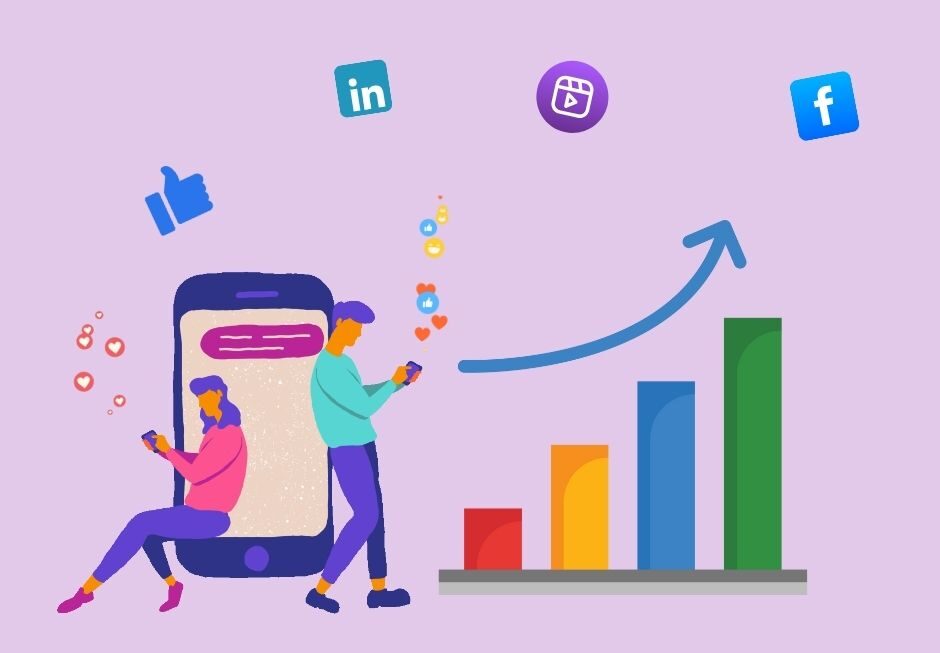
Social Media Growth is the process of increasing a brand’s presence, audience, engagement, and influence across social media platforms. It involves a combination of content strategy, audience targeting, community building, analytics, and sometimes paid amplification to build a loyal and engaged following that contributes to business goals.
What Is Social Media Growth (Really)?
Social media growth is the process of building your presence on platforms like Instagram, Facebook, TikTok, LinkedIn, Twitter (X), YouTube, and others — by increasing your followers, engagement, and influence over time.
But here’s the real truth:
It’s not just about the number of followers. It’s about building a community of people who actually care about what you post, who interact with you, and who trust your brand enough to buy from you, share your content, or stick around for the long run.
💬 Why Does Social Media Growth Matter?
In today’s world, social media isn’t just for fun — it’s your digital storefront, resume, customer service desk, and storytelling platform all in one.
Whether you’re a business owner, freelancer, content creator, or just building your personal brand, growth on social media helps you:
- Reach more people
- Build trust and credibility
- Drive traffic to your website or offers
- Sell products or services
- Stay relevant in your niche or industry
🔑 What Actually Drives Growth?
Let’s break it down into real, human strategies — not algorithm hacks.
1. Consistency
Posting once a week and disappearing won’t cut it. Growth comes from showing up regularly. That doesn’t mean you need to post every day — but you do need a rhythm.
- For example: 3–4 high-quality posts a week + daily Stories or quick updates
Think of it like watering a plant. A little every day does more than dumping a gallon once a month.
2. Value Over Virality
Forget chasing viral trends if they don’t match your message. Instead, focus on giving people something useful, entertaining, inspiring, or relatable.
Ask yourself:
- Does this post help someone?
- Does it solve a problem?
- Does it make them laugh, think, or feel something?
Growth happens when people want to follow you — not just like your post and keep scrolling.
3. Engagement Is a Two-Way Street
The fastest-growing accounts talk with people, not at them.
- Reply to comments
- Respond to DMs
- Ask questions in captions
- Comment on others’ posts (especially in your niche)
- Use polls, quizzes, or question stickers in Stories
People remember how you make them feel. Make them feel seen, and they’ll stick around.
4. Visuals That Stop the Scroll
You don’t need a professional camera — your phone is fine. But you do need to create content that stands out.
- Clear, bright photos
- Short, punchy videos
- On-brand colors or themes
- Easy-to-read text if using quotes or tips
You have about 1.5 seconds to grab someone’s attention. Make that first impression count.
5. Use the Right Features on Each Platform
Each social platform has its “favorites” — and they reward creators who use them.
- Instagram loves Reels and Stories
- TikTok pushes short-form, entertaining videos
- LinkedIn favors text-based posts with real-life insights
- Facebook still works for groups and longer posts
- YouTube? Long-form + Shorts = golden combo
Using the “native” tools gets you more reach.
6. Know Your Audience
Social media isn’t about you — it’s about them. Who are you trying to reach? What do they care about?
- Speak their language
- Post about topics they’re already thinking about
- Don’t just share what you want to post — share what they need or love to see
The better you know your audience, the faster you’ll grow — because your content will feel like it was made just for them (and it was).
7. Collaborate
Growth doesn’t happen in a vacuum. Partner with others in your niche.
- Go live with a creator
- Do shoutout-for-shoutout (S4S)
- Collaborate on giveaways
- Tag others when relevant
This cross-promotion helps you reach new audiences who already trust the person you’re collaborating with.
8. Use Hashtags — But Don’t Rely on Them
Hashtags are still helpful, especially on Instagram and TikTok. But don’t spam. Use a mix of:
- Niche-specific tags (#SustainableSkincare, #FreelanceLife)
- Community tags (#MomsWhoCreate, #WritersOfInstagram)
- Occasional trending tags, if relevant
But remember: hashtags help people find you — it’s your content that makes them follow you.
9. Be Real
People are tired of perfect. They want honest. Messy behind-the-scenes, your real voice, your wins and failures — it all builds trust.
Authenticity isn’t just a buzzword. It’s your edge.
10. Analyze & Adjust
Once you’ve been posting consistently for a few weeks, start looking at your insights:
- What posts got the most engagement?
- What days/times work best?
- What content flopped — and why?
Use that info to shape your strategy. Social media growth is part art, part science.
🧭 How Long Does It Take?
Real growth takes time.
You might see little spikes, but true growth is steady. It’s showing up week after week, building trust, refining your voice, and learning from what works.
Some accounts blow up in a few months. For most people, it takes 6–12 months of consistent effort to see big momentum. And that’s okay.
Conclution
Abhinav RS, as a Freelance Digital Marketer with the skills to drive Social Media Growth across major platforms like Instagram, Facebook, LinkedIn, and X (Twitter). The training includes strategies for building an engaging brand presence, creating platform-specific content, increasing follower base organically, analyzing performance metrics, and leveraging trends to boost reach and engagement. Freshers will also learn how to plan content calendars and use tools to automate and optimize social media activities for consistent growth.